
Share this
by Thembela Mavuso on January 13, 2026
Event Navigation for Attendees Just Got A Major Upgrade
Trade show attendees using Map Your Show's new MYS Attendee View Floor Plan will experience events with the most streamlined and intuitive floor navigation capabilities to date.
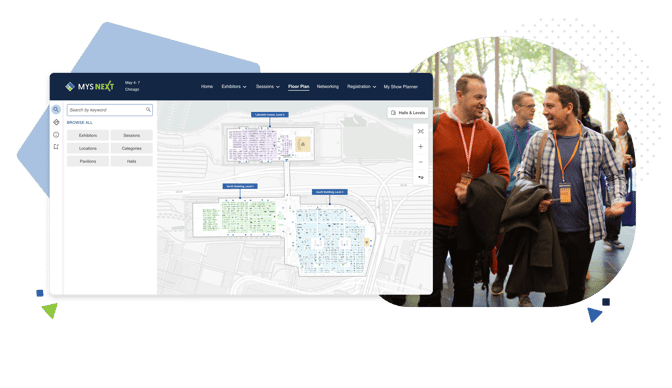
Designed to bring more of the event to life, the update features a new layout and design. The new Floor Plan solution empowers users to discover more, access more information than before, and efficiently navigate the show.
"Map Your Show is already known for the best floor plans. Our all-new Attendee version sets the bar even higher. The new Attendee View Floor Plan puts more information in front of attendees when they need it by placing critical event details and session information directly within the map. Attendees can now spend less time looking for what they need and more time engaging with the event.”

Don Kline
CEO of Map Your Show
Here's what new:
-
Points of Interest (POI): Add key locations and amenities to the map, such as restaurants, transportation, registration counters, and more. Each POI includes a category, title, and description. POI are also searchable through the Floor Plan, in the Online Directory, and our Mobile App.
- Booth and Room Color: Highlight individual booths or session rooms with custom colors in the Attendee View of the Floor Plan to reflect sponsors, exhibitor types, or special sections. You can also set default colors for all rooms, booths, pavilions, and halls.
- Detailed Search: Attendees are able to search by keyword or browse all exhibitors, sessions, points of interest, categories, pavilions, and halls directly within the Floor Plan. Additional filters allow attendees to refine search results and narrow down to specific content.
-
Session Information: All sessions are now included in the Attendee View Floor Plan with detailed time, speaker, location, and other session information. Session schedules are also linked and viewable from each corresponding meeting room on the map.
-
Full Campus View: Showcase a full campus view of the venue, with the entire event footprint across multiple buildings and halls, displayed within the broader city map.
- Point-to-Point Directions (Mobile): The new MYS Floor Plan allows users to navigate the show from one location point to a desired destination, when using the mobile app, providing directions, travel time, and estimated arrival.
Attendees can enter their starting location and the endpoint location to get directions. If enabled, location services will automatically determine the geographic location of a user. - New Design: New design features include an easy-to-use interface, a sidebar to help users quickly access key map functions and hall and building-level transition icons.
-
Attendee Planner Integration: In addition to the ability for attendees to add items to the MYS Planner directly from the Floor Plan, users will now see all favorited exhibitors and sessions included in their schedule visually highlighted and noted within the map.
"We’ve designed our new Attendee View Floor Plan to simplify planning and build a better event experience for attendees. Not only are we helping them find what matters and get where they need to on time, we’re turning every moment onsite into measurable value for organizers, exhibitors, and attendees alike."
Don Kline
CEO of Map Your Show
Simplify Planning and Attendee Navigation
The new Floor Plan is available with the MYS Professional Module and on the Map Your Show Mobile App.
Schedule a demo with Map Your Show today to see how the new changes can enhance your next event show.
Learn more at mapyourshow.com.
Content provided by Thembela Mavuso, Product Marketing Manager at Map Your Show.
