
Share this
by Thembela Mavuso on June 2, 2026
Stay informed with the latest news from Map Your Show.
Use AI to Improve Attendee Experience and Increase Exhibitor ROI
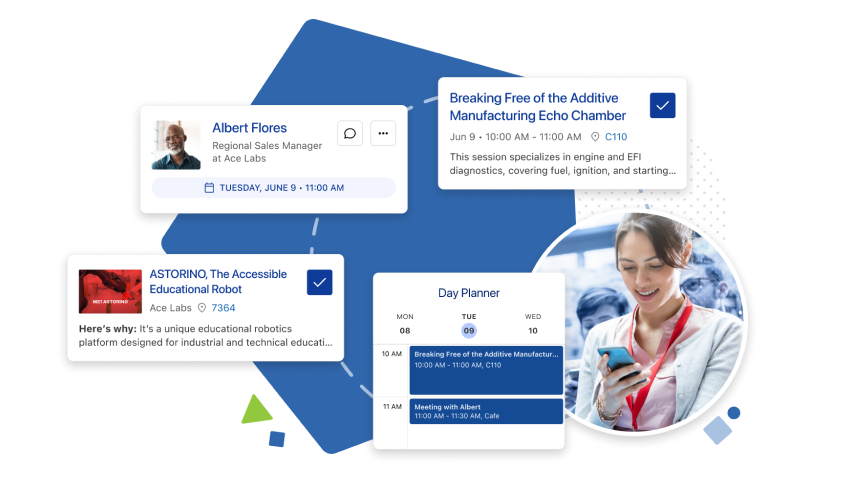
From smarter navigation and real-time assistance to better lead insights and personalized engagement, How to Use AI in Your 2026 Trade Show, breaks down how AI removes friction and creates more intuitive, connected events.
How to Increase Event Mobile App Adoption & Improve How Attendees Actually Use It
.png?width=400&height=400&name=Blog%20Image%20Template%20(10).png)
-1.png?width=680&height=340&name=PARTNER%20ANNOUNCEMENT%20(10)-1.png)
May Product Updates
- Sessions & Proposals Update: Two improvements have been made to the Sessions & Proposals page within the Show Dashboard:
New Column: Proposal Submitted - The default table view now includes a Proposal Submitted column, displaying the date each proposal was submitted. Multi-Select Status Filter - The Status filter has been updated to support multi-select, so you can now filter by more than one status at a time. - Automatically BCC your sales reps on booth and sponsorship emails: Events that assign sales reps to customers in MYS can now automatically BCC those reps on transaction emails for booth and sponsorship sales.
To set this up:
1. Go to Sales > Booth Sales > Sales Options/Settings > Email Templates
2. Select the template you want to update
3. Under BCC Options, check Customer Sales Rep
4. Click Update Template, then Publish
Example: If you want reps to be notified when a company from their assigned territory submits an exhibit application, apply this update to the Application Confirmation (Exhibit Application) template. - Payment & Refund Confirmation Emails: Two new email templates are now available to keep your customers informed. When your team records a payment or refund on a customer record, a confirmation email can automatically be sent to the contact(s) of your choice. Head to your email templates to enable and publish to get started. Learn about Payment & Refund Confirmation Emails
Need a refresher? How to update email templates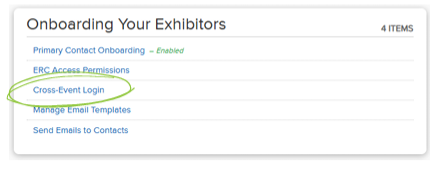
- Cross-Event Login is now available You can now allow your exhibitor contacts the ability to move between each event’s ERC without logging in again. Enable it under Exhibitors > Exhibitor Resource Center > Cross-Event Login in your Show Dashboard. Learn more about Cross-Event Login.
